

Fees vs. billable metrics
Choose the right tool for the job:
Use fees for:
- One-time setup or onboarding charges
- Monthly or annual platform fees
- License fees
- Support tier charges
- Token consumption
- Compute hours
- Storage usage
- Any metered resource
Fee types
One-time fees
Charged once when a subscription activates. Perfect for:- Setup fees - Cover onboarding costs
- Implementation charges - Custom integrations
- Activation fees - Initial account setup
Recurring fees
Charged on a schedule throughout the subscription. Options include:
Recurring fees are charged when the subscription starts and then on each billing cycle.
Payment terms
Control when customers pay for fees.Prepaid (in advance)
The fee is charged upfront, at the start of the period it covers. Best for:- Risk management
- Smaller customers
- Self-serve signups
Postpaid (in arrears)
Charges accumulate and appear on the next invoice. No immediate payment required. Best for:- Enterprise contracts
- Established customers
- Sales-led deals
Creating fees
Fees belong to a product. Create them in the Paygentic dashboard or via API.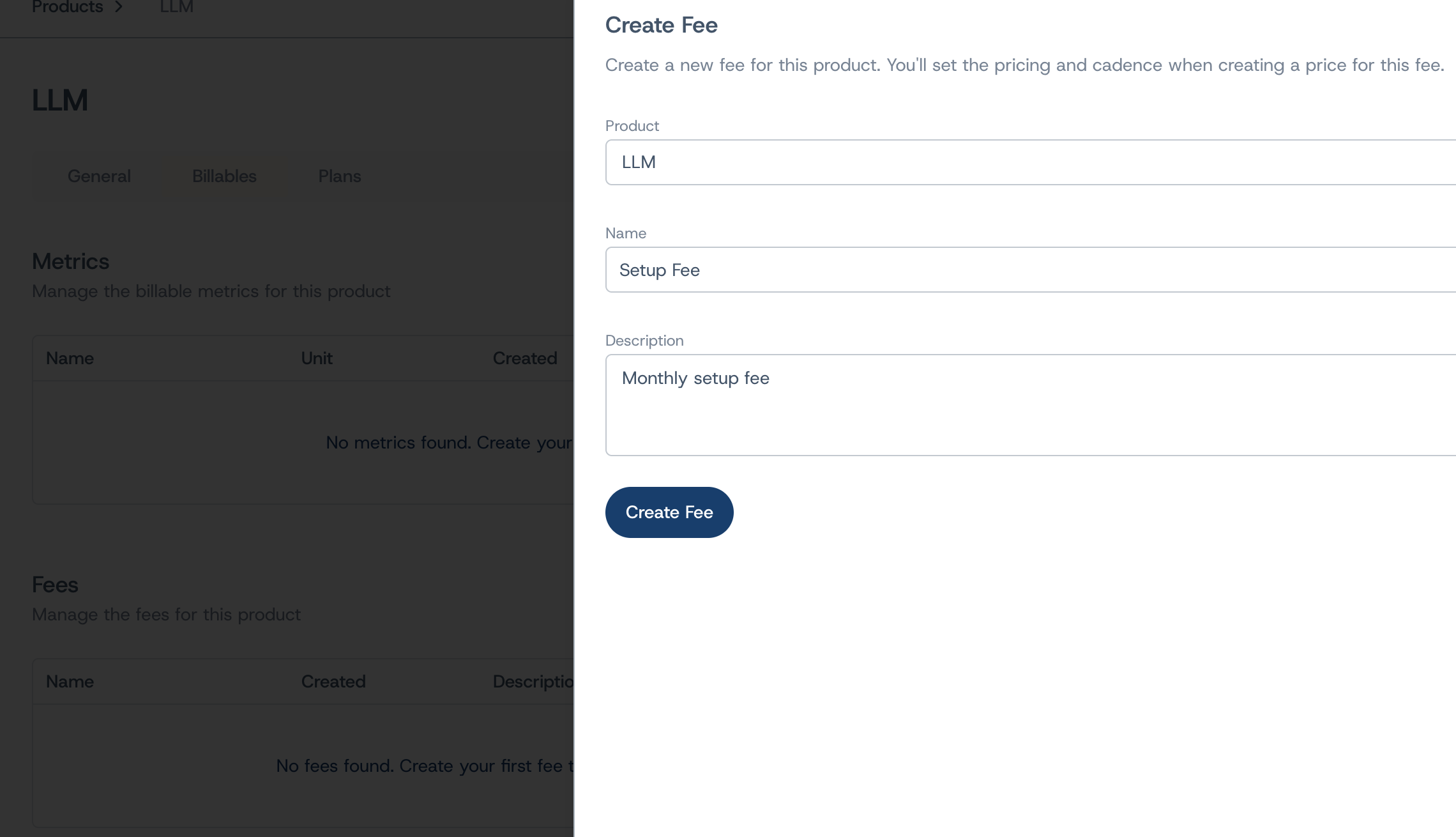
Required fields
- Name - Internal identifier (e.g., “Pro Monthly Fee”)
- Description - Explain what this fee covers
- Product - Which product this fee belongs to
Pricing configuration
When adding a fee to a plan, configure:- Unit price - The fixed amount to charge (e.g., $50.00)
- Billing cadence - How often to charge (one-time, monthly, yearly, etc.)
- Payment term - When to collect (prepaid or postpaid)
- Invoice display name - What customers see on invoices
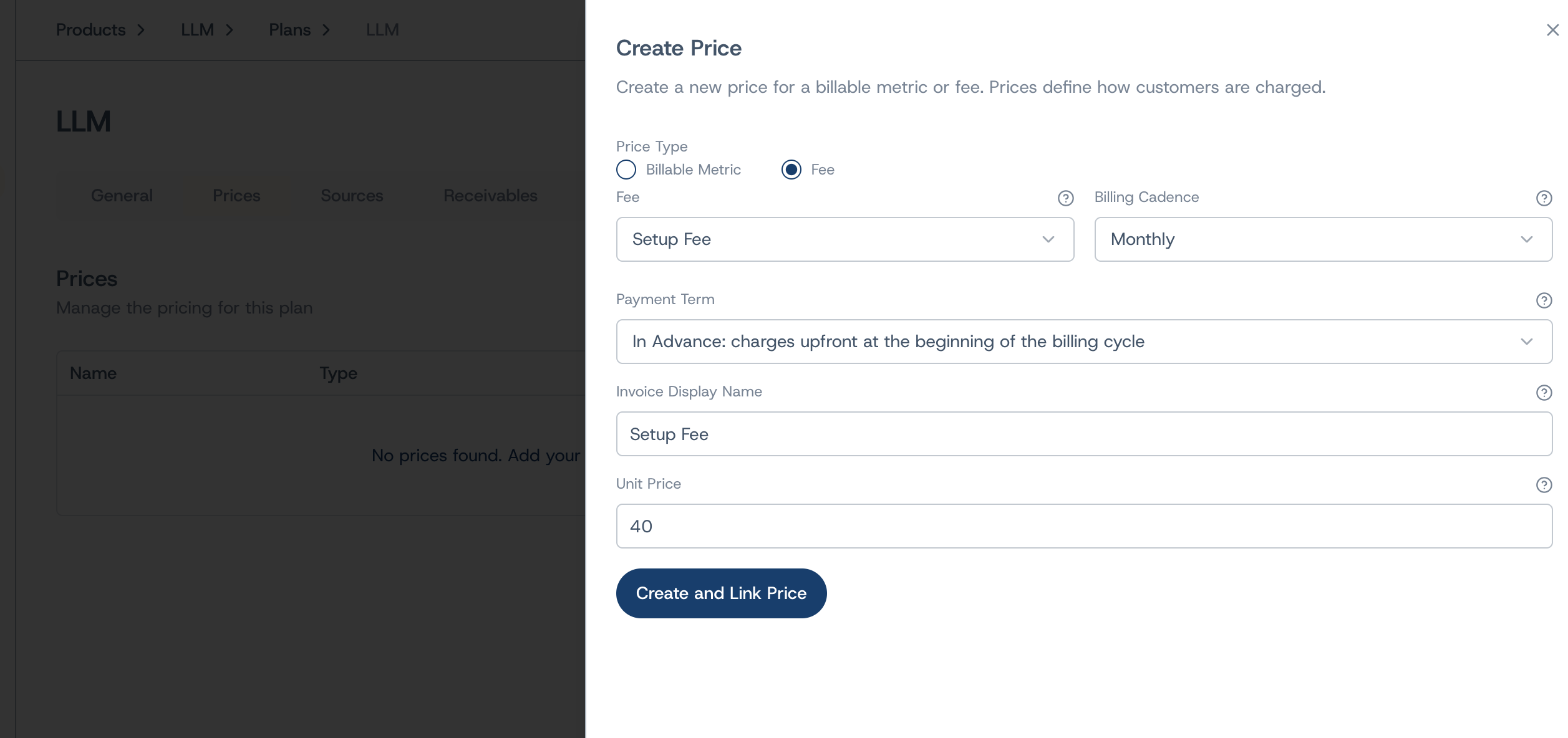
Adding fees to plans
Fees are attached to plans alongside metric prices. A single plan can include:- Multiple fees (setup + monthly subscription)
- Fees and usage-based metrics together
- Different payment terms per fee
Fees on invoices
Fees appear as line items on customer invoices with:- The display name you configured
- The charge amount
- Applicable taxes, calculated automatically — unless the price is a credit, which is not a supply and carries none
API reference
Manage fees programmatically:POST /v0/fees- Create a new feeGET /v0/fees- List all feesGET /v0/fees/{id}- Get fee detailsPATCH /v0/fees/{id}- Update fee name/description
Next steps
- Create plans to bundle fees with usage pricing
- Set up products to organize your offerings
- Configure prices for usage-based metrics